
Reservation system
Overview
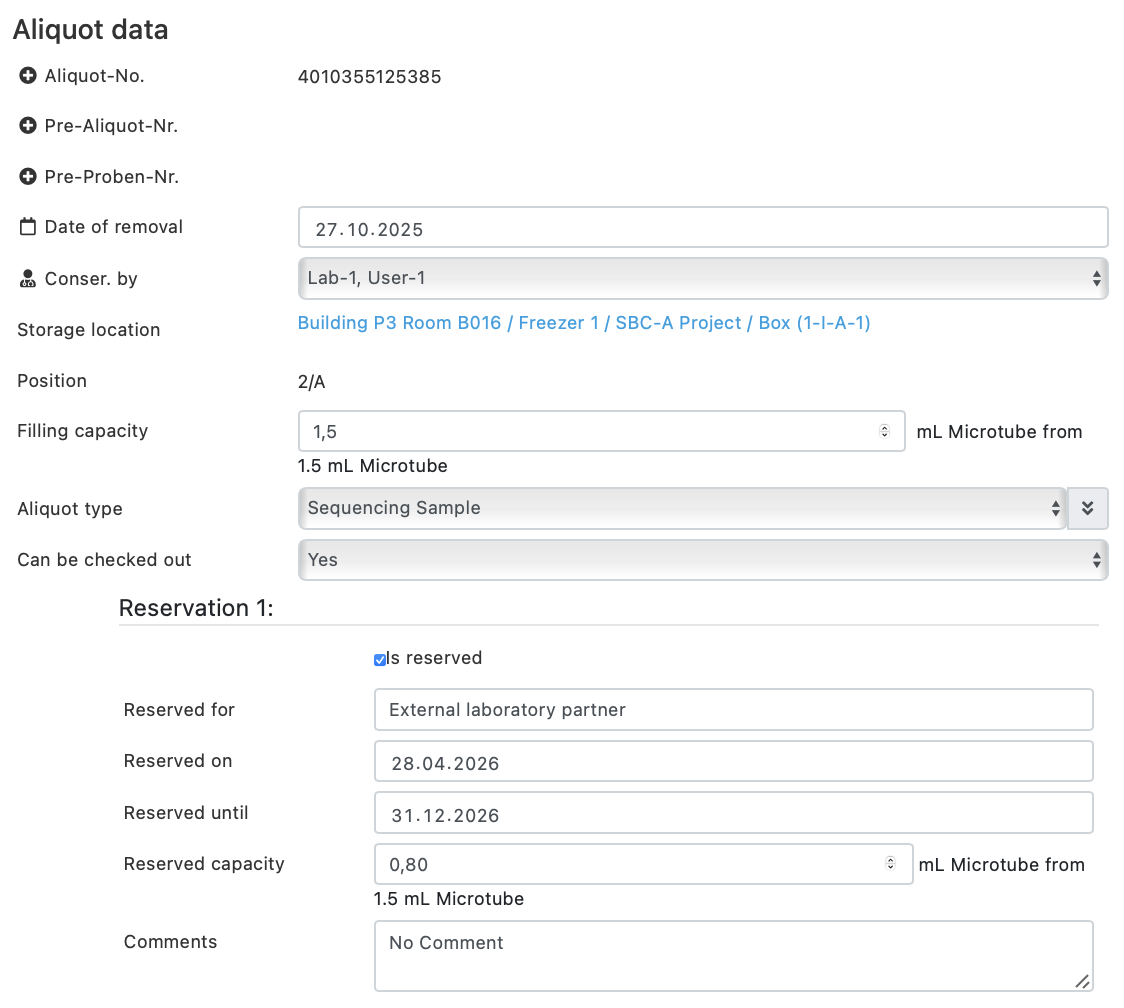
The reservation system enables the management of reservations for samples and aliquots. Partial quantities of a sample can also be specifically reserved.
Reservations can be configured flexibly and support several parallel reservations per aliquot.
Functions at a glance
Reservations of samples and aliquots
- Reservations can be made for partial quantities of a sample.
- Any number of reservations are possible per aliquot.
- Additional reservations can be added using the “+ more” function.
- Reservation data can also be maintained using the import function.
Automatic management
- After the reservation date has expired, the reservation is automatically deleted.
- The “Reserved for” field is retained and is only overwritten when a new reservation is made.
- Unreserved remaining quantities are displayed as available quantities in reporting.
Advanced functions
Data structure & system logic
- Support for multiple reservations per aliquot
- Expansion of data structures for flexible management
- Integration of dynamic fields via the “+ more” function
Data processing
- Improved functions for loading and saving data
- Enhancements for import and export processes
- Validation:
- Reservations cannot be larger than the available quantity
- Incorrect import data is skipped
- Affected aliquots are shown in an error message
Calculation & logic
- Correct calculation of the free residual quantities
- Consideration of all reserved subsets
- Optimized automatic cancellation of expired reservations
Search & Reporting
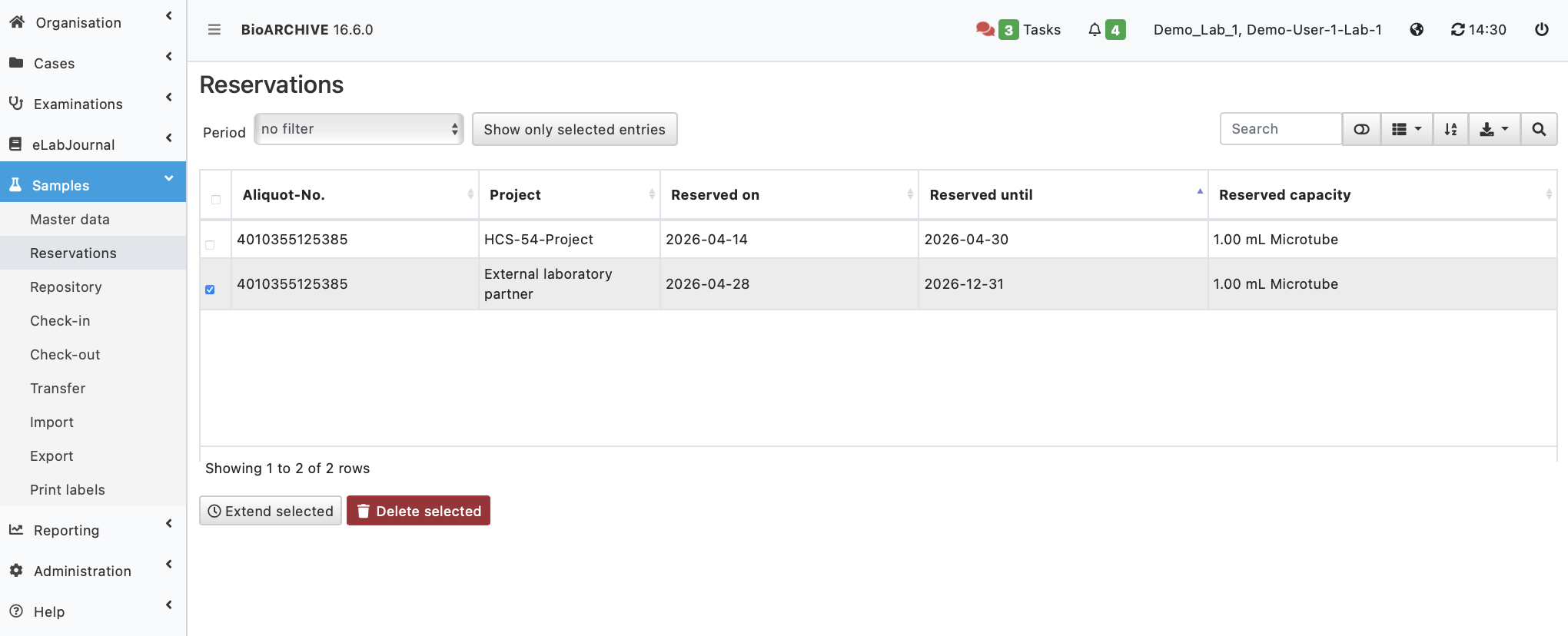
- Extended search function with filter options at reservation level
- New report under “Samples”:
- Overview of all reservations
- Option to reserve or delete again
- Access to reservation data also via the Report Manager (incl. associated tables)
Extend reservations
- Navigate to “Rehearsals / Reservations”
- Select an existing reservation
- A detailed view appears below the table
- Select a new date
➡️ The end date of the reservation is adjusted accordingly and the reservation is extended
Special notes
- Reserved samples and aliquots can still be checked out
- Existing reservations are automatically deleted when you check out
- Validation prevents overbooking of sample quantities
- Reporting shows the actual available quantity at all times

